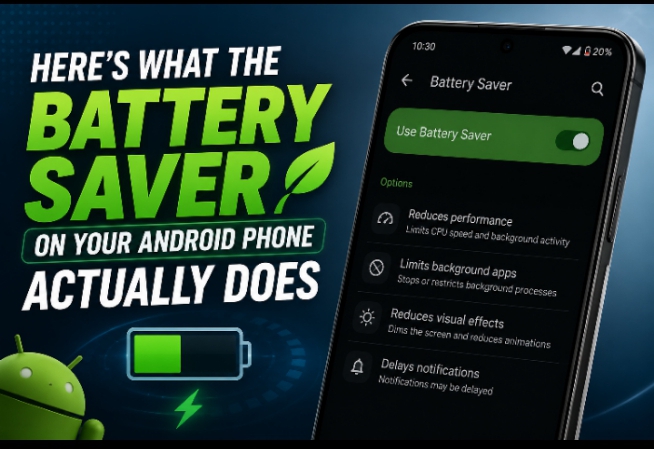
Have you ever watched your Android phone’s battery drop from 20% to 5% in what feels like minutes? It usually happens when you’re traveling, waiting for an important call, or using GPS without a charger nearby. In moments like these, most people quickly switch on Battery Saver—but very few actually know what it does.
Does it only dim your screen? Does it damage your phone if you use it all the time? And why does your phone suddenly feel slower after enabling it?
In this guide, you’ll learn exactly what Battery Saver does on Android phones, when you should use it, and how to get the most out of it without sacrificing your phone’s performance.
◾Best Budget Smartphones Worth Buying in 2026: Top Affordable Picks That Deliver Great Value
What Is Battery Saver on Android?
Battery Saver is a built-in Android feature designed to reduce power consumption when your battery starts running low.
Instead of allowing every app and system feature to run at full speed, Battery Saver temporarily limits certain activities to help your remaining battery last much longer.
Think of it like switching your car into an economy driving mode. You still get to your destination, but the system avoids unnecessary fuel consumption.

What Happens When You Turn On Battery Saver?
The exact behavior depends on your Android version and phone manufacturer, but Battery Saver usually performs several actions at once.
1. Reduces Screen Brightness
Your display is one of the biggest battery consumers.
Battery Saver automatically lowers the screen brightness to reduce power usage. Since the display constantly draws electricity, even a small reduction can noticeably extend battery life.
2. Limits Background Apps
Many apps continue working even when you aren’t using them.
For example, social media apps may:
- Refresh your feed
- Check for notifications
- Sync messages
- Update location
Battery Saver limits these background activities, reducing battery drain.
3. Slows Down Performance
When Battery Saver is enabled, your phone may reduce processor speed.
This helps conserve energy but can make:
- Apps open slightly slower
- Games run less smoothly
- Animations feel less responsive
This slower performance is completely normal and is part of how Battery Saver extends battery life.
4. Reduces Visual Effects
Android may simplify or disable certain animations and transition effects.
These small visual changes save processing power and battery without affecting core phone functions.
5. Restricts Location Services
Some Android phones reduce how frequently apps can access your location.
GPS navigation still works when needed, but apps won’t constantly request location updates in the background.
6. Delays Automatic Sync
Battery Saver may postpone syncing for services such as:
- Cloud backups
- Photos
- Documents
Updates will usually resume once Battery Saver is turned off or your phone is charging.
Does Battery Saver Damage Your Phone?
No.
Battery Saver is a feature created by Google and phone manufacturers to help users extend battery life safely.
Using it regularly will not damage:
- Your battery
- Your processor
- Your phone’s hardware
In fact, reducing heat and processor workload may even reduce stress on certain components during heavy use.
Does Battery Saver Make Charging Faster?
Not directly.
Battery Saver doesn’t increase your charger’s speed.
However, because your phone consumes less power while charging, the battery percentage may appear to rise slightly faster, especially if you’re using the phone during charging.
The charging hardware itself remains unchanged.
Should You Leave Battery Saver On All the Time?
You can—but it isn’t always the best idea.
If Battery Saver stays enabled permanently, you’ll likely notice:
- Delayed notifications
- Slower app performance
- Reduced background syncing
- Dimmer screen
- Less responsive animations
For most people, it’s better to use Battery Saver only when necessary.
When Should You Turn Battery Saver On?
Battery Saver is most useful when:
- Your battery drops below 20%
- You’re traveling without a charger
- You’re attending long events
- You’re hiking or camping
- You’re using your phone during a power outage
- You’re waiting for an important call
Many Android phones can automatically enable Battery Saver once the battery reaches a certain percentage.
◾iPhone 16 Features You Should Know Before Buying
Tips to Make Battery Saver Even More Effective
Battery Saver works best when combined with smart battery habits.
Try these tips:
- Lower screen brightness manually.
- Close apps you aren’t using.
- Turn off Bluetooth when not needed.
- Disable Wi-Fi if you’re away from networks.
- Switch off mobile hotspot.
- Use Dark Mode on phones with OLED displays.
- Reduce screen timeout.
- Disable vibration if possible.
- Avoid unnecessary gaming when the battery is low.
Combining these habits with Battery Saver can significantly extend your phone’s remaining battery life.
Common Myths About Battery Saver
Myth 1: Battery Saver ruins your battery.
False. It’s specifically designed to protect battery life.
Myth 2: Battery Saver deletes your apps.
False. It only limits background activity temporarily.
Myth 3: Battery Saver doubles battery life.
Not always. The improvement depends on how you’re using your phone. Heavy gaming or video recording will still consume a lot of power.
Myth 4: Battery Saver should always stay on.
False. It’s intended as a power-saving tool rather than a permanent setting for most users.
Is Battery Saver Different From Extreme Battery Saver?
Yes.
Many newer Android phones include Extreme Battery Saver, which goes much further than regular Battery Saver.
It may:
- Pause almost all apps
- Allow only selected apps to run
- Greatly reduce background activity
- Extend battery life for several more hours
This mode is ideal during emergencies when preserving every bit of battery matters.
- Learn More:
◾Official developer documentation covering Android power management, battery optimization, and best practices for apps.https://support.google.com/android?
Final Thoughts
Battery Saver is one of the most useful features on Android phones, especially when you’re far from a charger. It works by reducing background activity, lowering screen brightness, limiting processor performance, and minimizing unnecessary power usage.
Although your phone may feel a little slower while it’s enabled, that’s a small trade-off for keeping your device running when you need it most.
If you only turn on Battery Saver when your battery is running low and combine it with good charging habits, you’ll get more time out of every charge without harming your phone.
Frequently Asked Questions
Does Battery Saver stop notifications?
Not completely. Some notifications may be delayed because background activity is restricted.
Can I use Battery Saver while charging?
Yes. It is completely safe and may help reduce power consumption while your phone charges.
Does Battery Saver affect games?
Yes. Games may run at lower frame rates because the processor is conserving energy.
Does Battery Saver work on every Android phone?
Most Android phones include Battery Saver, although its features may vary depending on the manufacturer and Android version.